YouTube Shorts is one of the fastest ways to grow a channel — but only if you use the right tactics. These 10 YouTube Shorts hacks cover everything from hook writing and posting frequency to monetization and equipment, so you can start converting views into subscribers today.
Key Takeaways
- YouTube Shorts are vertical videos up to 3 minutes long, served by a dedicated algorithm that can reach millions of non-subscribers.
- The first 1-3 seconds of your Short determine whether viewers swipe away or stay — nail the hook every time.
- Posting 3-5 Shorts per week is a reliable starting cadence; consistency beats volume.
- Shorts alone can earn ad revenue through the YouTube Partner Program, even with a smaller audience.
- CapCut, InShot, and YouTube’s built-in editor are the top free editing tools for Shorts creators in 2026.
- The biggest mistake creators make is ignoring the call-to-action — always tell viewers what to do next.
- Shorts perform best when they deliver one clear idea, fast. No padding, no long intros.
- Businesses and solo creators both benefit from Shorts, but the content strategy looks different for each.
What Are YouTube Shorts and How Do They Work?
YouTube Shorts are vertical, full-screen videos up to 3 minutes long that live in a dedicated feed inside the YouTube app. The algorithm surfaces them to viewers based on interest signals, not subscriber counts, which means a brand-new channel can reach hundreds of thousands of people overnight.
Here’s what makes Shorts different from regular YouTube videos:
- They play in a swipe-based feed, similar to TikTok or Instagram Reels.
- They are indexed by YouTube’s search engine, so they can rank for keywords.
- Viewers who engage with your Short are more likely to be shown your long-form content too — building a pipeline to your main channel.
Think of Shorts as a discovery engine. They pull in cold audiences and warm them up for everything else you make.

How Long Can YouTube Shorts Be?
YouTube Shorts can be up to 3 minutes long as of 2024, extended from the original 60-second limit. However, shorter is usually better. Videos between 15 and 45 seconds tend to get the highest view-through rates because they match how quickly people scroll.
Practical rule: If your idea needs more than 60 seconds to land, consider whether it belongs in a Short at all. A tight 30-second video that delivers one punchy idea will almost always outperform a bloated 2-minute one.
Do YouTube Shorts Actually Help Grow My Channel?
Yes — when used strategically. Shorts grow your channel by exposing your content to viewers who have never heard of you, then funneling the most interested ones toward your long-form videos and subscribe button.
The key is the bridge. At the end of every Short, direct viewers to a related long video or simply ask them to subscribe. Without that bridge, you collect views but not subscribers. For more on why views don’t always translate into growth, read this guide on why your YouTube videos get no impressions.
10 YouTube Shorts Hacks: Get More Subscribers with Video — The Core Tactics
These are the hacks that actually move the needle. Apply them in order, and you’ll see the difference within a few weeks.
1. Hook in the first second. Start mid-action or with a bold statement. “Here’s why your Shorts get zero views” beats “Hey guys, welcome back.”
2. Use pattern interrupts. A sudden cut, a zoom, or a change in music tempo resets viewer attention every 5-7 seconds and keeps the swipe reflex at bay.
3. Write for the algorithm, not just the viewer. Include your target keyword in the title, first line of the description, and spoken aloud in the video. YouTube’s auto-captions feed its search index.
4. Add a verbal call-to-action. Say “subscribe for part 2” or “follow for more tips like this.” Text overlays help, but spoken CTAs convert better. Avoid common YouTube SEO mistakes that bury your discoverability.
5. Post at consistent times. The algorithm rewards channels that publish on a predictable schedule. Pick your days and stick to them.
6. Repurpose your best long-form moments. Pull the sharpest 30-60 seconds from a long video, add captions, and post it as a Short. This doubles your content output with half the effort.
7. Use trending audio strategically. YouTube’s Shorts feed boosts videos that use popular audio tracks. Check the Shorts creation tool for trending sounds before you record.
8. Keep captions on. A large share of Shorts are watched with the sound off. Auto-captions are fine as a start, but clean them up manually for accuracy.
9. Test thumbnails even for Shorts. YouTube now lets you set a custom thumbnail for Shorts that appears in search results. A strong thumbnail improves click-through rate from search.
10. Analyze your audience retention graph. If viewers drop off at the 5-second mark, your hook is weak. If they drop at 15 seconds, your middle section drags. Fix the specific problem, not the whole video.
Which Types of Content Perform Best on YouTube Shorts?
Tutorial snippets, rapid-fire tips, satisfying transformations, and reaction-style commentary consistently perform well on Shorts. The common thread is a single, clear payoff delivered quickly.
Content types ranked by typical engagement:
| Content Type | Why It Works |
|---|---|
| Quick tutorials (how-to) | Solves a specific problem fast |
| Before-and-after reveals | Built-in visual payoff |
| Rapid-fire lists | Easy to watch, easy to share |
| Behind-the-scenes clips | Builds personal connection |
| Trending audio + original spin | Algorithm boost plus novelty |
If you’re not ready to show your face on camera, plenty of these formats work without it. Check out these faceless YouTube video ideas for inspiration.
How YouTube Shorts Compare to TikTok Videos
Shorts and TikTok videos are structurally similar, but they serve different ecosystems. TikTok’s algorithm is faster to reward new creators with viral reach, but YouTube Shorts have a longer shelf life because they are indexed in search.
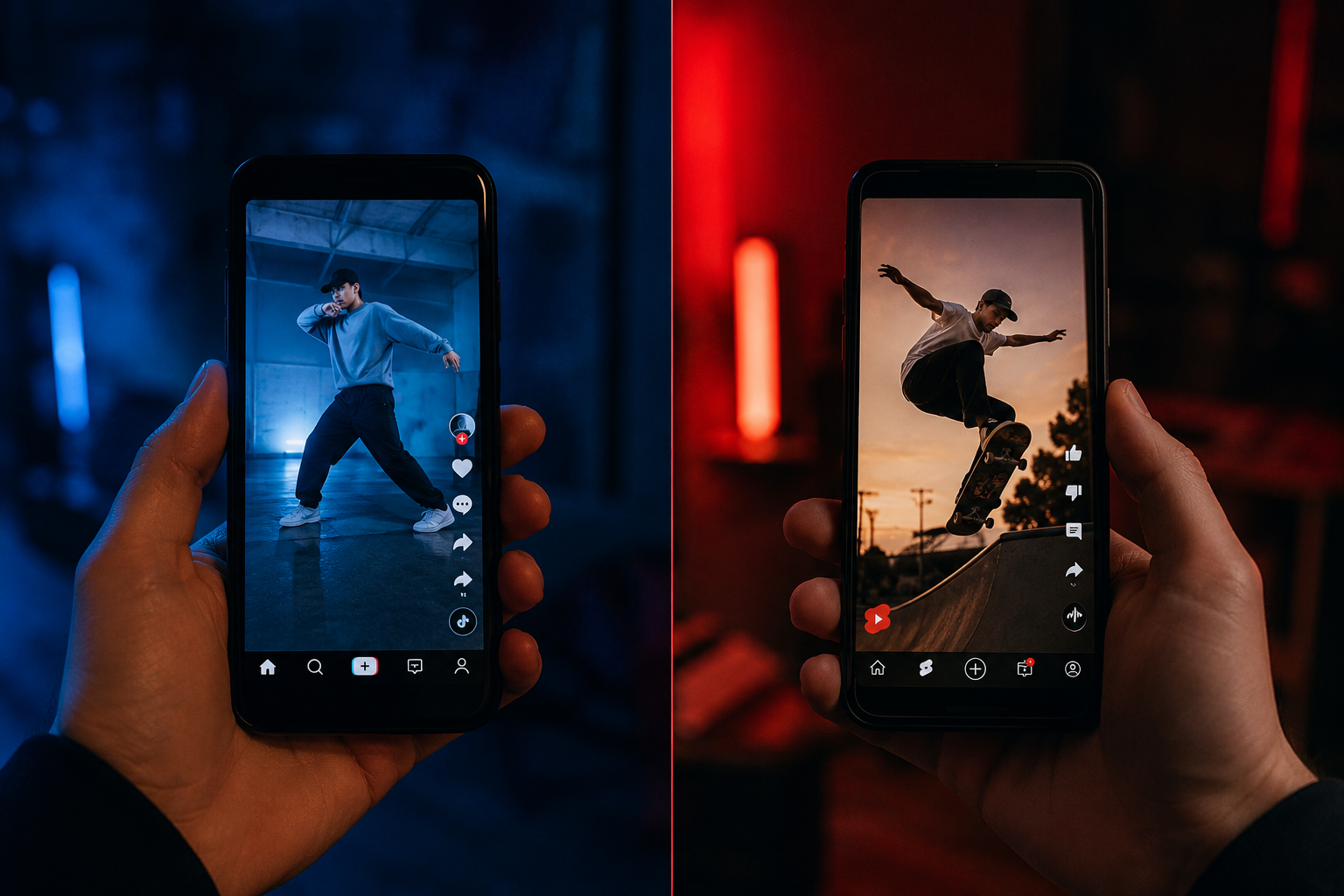
Choose YouTube Shorts if: you already have a YouTube channel and want Shorts to feed long-form growth.
Choose TikTok if: you want maximum viral speed with no existing audience.
Do both if: you can repurpose content easily and want to cover all bases.
The biggest practical difference: YouTube Shorts can drive subscribers who then watch your 20-minute videos. TikTok followers rarely migrate to another platform.
What Equipment Do You Need to Make Good Shorts?
You need very little to start. A modern smartphone, decent natural light, and a free editing app are enough to produce Shorts that compete with larger channels.
Starter kit:
- Smartphone with a 1080p or 4K front/rear camera
- A small ring light or position near a window (see our best lights for vlogging guide)
- A clip-on or wireless microphone for cleaner audio
- Free editing app: CapCut, InShot, or YouTube’s built-in Shorts editor
Don’t wait for perfect gear. The algorithm does not reward production value — it rewards watch time and engagement. A well-lit, clearly spoken Short filmed on an older phone will outperform a poorly structured one shot on a cinema camera.
What Editing Apps Work Best for YouTube Shorts?
CapCut is the most popular free editing app for Shorts in 2026, thanks to its auto-captions, trending templates, and direct export to vertical format. InShot is a close second for creators who prefer a simpler interface. YouTube’s native Shorts editor works well for basic cuts and adding music from the licensed library.
For creators who want more control, free vlogging software like DaVinci Resolve can handle Shorts editing on desktop, though the workflow is slower.
Quick comparison:
| App | Best For | Cost |
|---|---|---|
| CapCut | Auto-captions, templates, effects | Free |
| InShot | Simple cuts, text overlays | Free / paid tier |
| YouTube Editor | Basic Shorts, licensed audio | Free |
| DaVinci Resolve | Advanced color, desktop editing | Free |
How Often Should You Post YouTube Shorts?
Post 3-5 Shorts per week when you’re building momentum. That frequency gives the algorithm enough data to understand your content while keeping your production schedule manageable.
Consistency matters more than volume. Posting 5 Shorts in one day and then going quiet for two weeks confuses the algorithm and your audience. Build a simple content calendar and treat it like a commitment.
Once you find formats that work, batch-record 5-10 Shorts in a single session. It saves time and keeps your posting schedule steady even on busy weeks.
Can You Monetize YouTube Shorts with Few Subscribers?
Yes. Since 2023, YouTube has allowed creators to earn ad revenue from Shorts through the YouTube Partner Program (YPP). The current threshold to join YPP via the Shorts path is 500 subscribers and 3 million Shorts views in the last 90 days — lower than the long-form video requirement.
Revenue per view on Shorts is lower than on long-form videos, but the volume potential is much higher. Many creators use Shorts income as a stepping stone while building toward sponsorships. For a deeper look at turning views into income, read this guide on how to get YouTube sponsors.
How Much Money Can You Make from YouTube Shorts?
Shorts ad revenue varies widely. YouTube pools ad revenue from Shorts and distributes it based on each creator’s share of total views in the pool. Estimates from creator reports suggest earnings typically range from $0.03 to $0.07 per 1,000 views, though this fluctuates by niche, geography, and season.
Shorts alone rarely replace a full income. The real earning power comes when Shorts subscribers convert into long-form viewers, who then generate higher CPM (cost per thousand impressions — the rate advertisers pay) ad revenue and sponsor interest.
Are YouTube Shorts Good for Businesses or Just Creators?
Shorts work well for both, but the goals differ. Solo creators use Shorts to grow subscribers and ad revenue. Businesses use them to drive brand awareness, showcase products, and push traffic to landing pages or longer videos.

For businesses, the most effective Shorts formats are quick product demos, customer testimonials, and behind-the-scenes content. These build trust faster than a polished ad. If you’re running a brand channel, check out this resource on structuring a YouTube channel for growth.
The Biggest Mistakes Creators Make with Shorts
Most creators who struggle with Shorts make the same handful of errors.
- No hook: Starting with “Hey, welcome back” kills retention before the video even starts.
- No call-to-action: Views without direction don’t become subscribers.
- Ignoring analytics: If you’re not checking your retention graph, you’re guessing. Stop guessing.
- Reposting TikToks with watermarks: YouTube’s algorithm actively suppresses watermarked content.
- Inconsistent posting: Going weeks without a Short resets your momentum.
For a broader look at what holds channels back, this guide on YouTube mistakes that kill channel growth covers the full picture.
10 YouTube Shorts Hacks: Get More Subscribers with Video — FAQ
Q: Do Shorts views count toward my channel’s watch time for monetization?
A: Shorts views are tracked separately. They count toward the Shorts-specific YPP threshold (3 million Shorts views) but not toward the long-form watch time requirement (4,000 hours).
Q: Should I use hashtags in my Shorts descriptions?
A: Yes, but keep it to 3-5 relevant hashtags. More than that looks spammy and doesn’t improve reach. Always include #Shorts so YouTube categorizes the video correctly.
Q: Can I turn an old long-form video into a Short?
A: Absolutely. Clip the strongest 30-60 seconds, add captions, and post it. This is one of the most efficient content strategies available.
Q: Does posting Shorts hurt my long-form video performance?
A: No. YouTube’s algorithm treats Shorts and long-form videos as separate content types. Shorts do not cannibalize long-form views.
Q: What aspect ratio should I use for Shorts?
A: Always 9:16 (vertical). This is the full-screen format YouTube expects. Anything else gets letterboxed and looks unprofessional.
Q: How do I find trending topics for Shorts?
A: Check YouTube’s Explore tab, Google Trends, and the “trending audio” section inside the Shorts creation tool. Also watch what’s performing in your niche and put your own spin on it.
Q: Is it worth paying someone to edit my Shorts?
A: Once you’re posting consistently and seeing growth, yes. Outsourcing editing frees you to focus on ideas and filming. Start with a trial project before committing.
Q: Can I schedule Shorts in advance?
A: Yes. YouTube Studio lets you schedule Shorts just like regular videos. Use this to maintain a consistent posting schedule without being online at specific times.
Q: Do Shorts work for every niche?
A: Most niches have a Shorts-friendly format, but some (like long-form documentary or deep-dive finance) take more creativity to adapt. The key is finding the “snackable” version of your topic.
Q: How long does it take to see subscriber growth from Shorts?
A: Most creators see meaningful growth within 4-8 weeks of consistent posting, assuming the content quality and hooks are solid. Viral outliers can accelerate this dramatically.
Conclusion
Growing on YouTube Shorts in 2026 is not about luck or going viral once. It’s about applying the right tactics — strong hooks, consistent posting, smart CTAs, and honest analytics review — and repeating them until the algorithm and your audience both trust you.
Start with three of these 10 YouTube Shorts hacks this week. Pick the ones that feel most actionable right now: fix your hook, add a verbal call-to-action, and set a posting schedule. Then check your retention graphs after two weeks and adjust from there.
Small, consistent improvements compound fast on Shorts. You don’t need a perfect setup or a massive existing audience. You need a clear idea, a phone, and the discipline to show up regularly.
For your next step, run a quick audit of your existing channel using this YouTube channel audit checklist — it’ll show you exactly where Shorts fit into your broader growth strategy.
YouTube Shorts Posting Schedule Planner
Answer three quick questions to get your recommended weekly plan.